MyPetPal
Simplifying everyday pet health & wellness
Project
Responsive Web App
My Role
Product Designer
Industry
Pet Care / Healthcare
Date
2025
Duration
9 Months
Tools
Figma, Figjam, Adobe CC, Lysanna, UX Tweak, Google Forms, Stark
Overview
For my most comprehensive product design immersion project, I created an app called MyPetPal. It’s designed to support pet parents in managing their pets’ health and wellness. This project marked a pivotal moment in my growth as a designer by challenging me to manage the entire design process end-to-end and deepend my appreciation for how intentional, user-centered design impact everyday life.
MyPetPal is also close to my heart, it combines my love for my own pets (I’ve been a pet parent for 20+ yrs) with my interest in health & wellness.
The market
Pet ownership in the U.S. is both widespread and steadily growing, with dogs and cats making up the majority of companion animals. This growth reflects more than just numbers, it highlights a rising demand for accessible veterinary care, behavioral training, and wellness resources
- In 2025, the U.S. pet care and services market is valued at approximately $62.1 billion
- By 2030, the industry is projected to reach $87.3 billion, growing at a compound annual growth rate (CAGR) of 7.05%
- By 2025, 71% of U.S households, 94 million families own at least 1 pet
- 51% of U.S. households have dogs
- 37% of U.S. households have Cats
Problem
Our pet parent users need a way to have reliable and accessible veterinary care for their pets' everyday healthcare needs because a trusted source is hard to find.
Solution
A responsive web app designed to connect urban pet owners (ages 25-65) to accessible, reliable veterinary care, behavioral training and wellness resources.
Design Process & Timeline
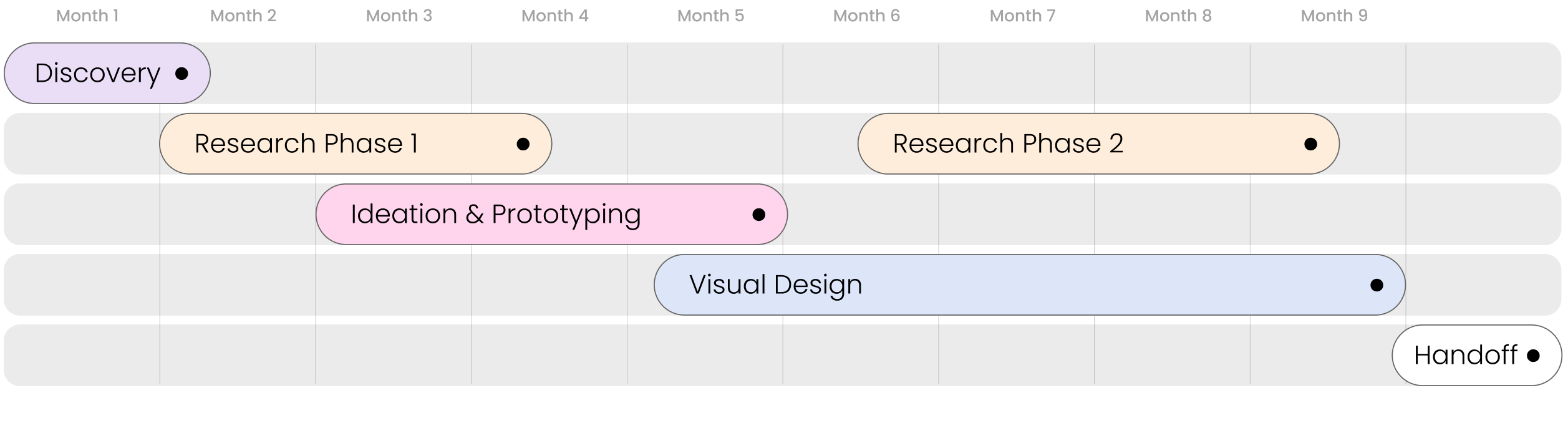
Roadmap of the design thinking process for MyPetPal, highlighting the iterative and user-centered approach to solving a complex design project from end-to-end.
Design Process Details
Discovery
- Understand the Problem
- Market Research
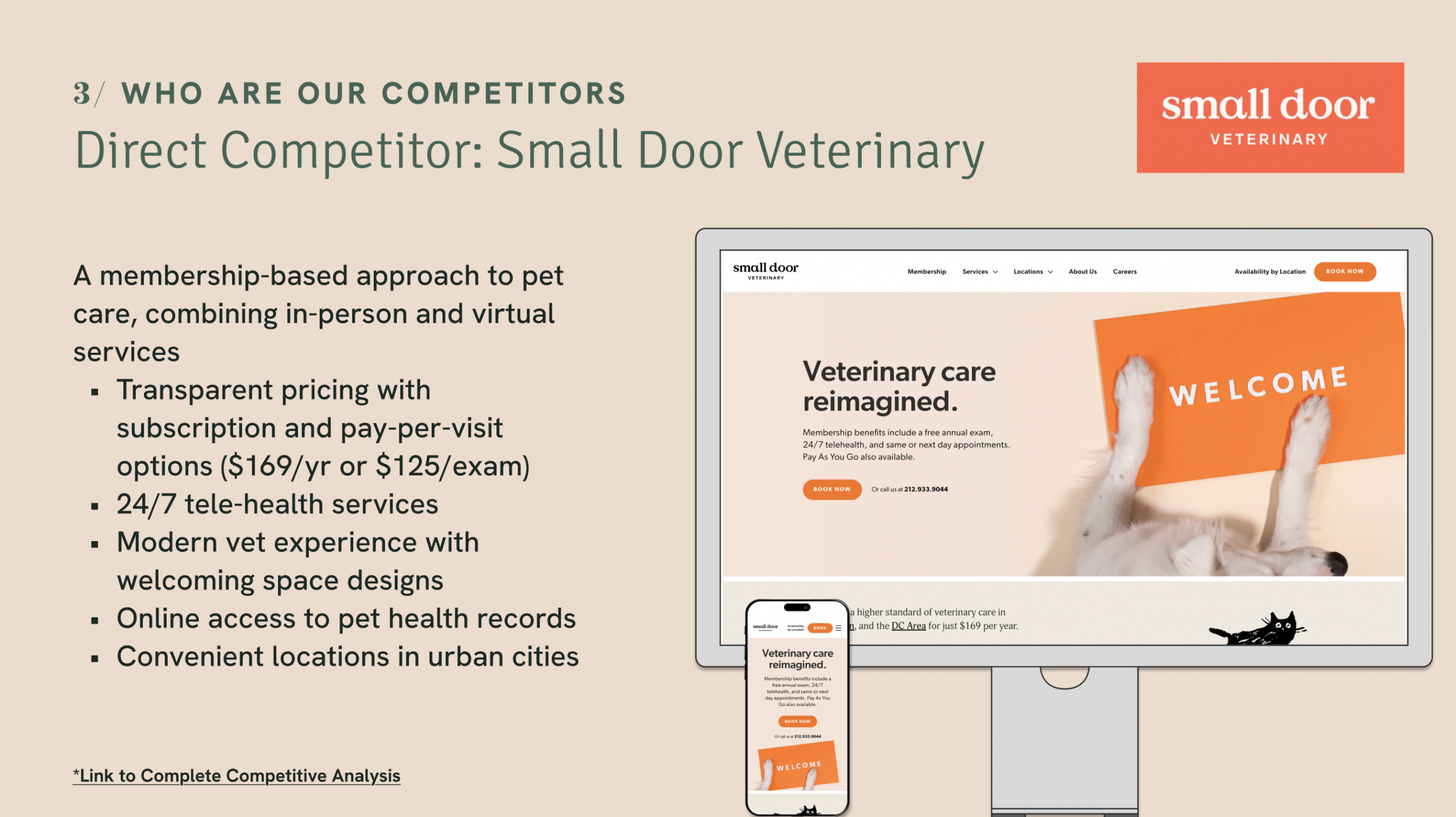
- Competitive Analysis
Research Phase 1
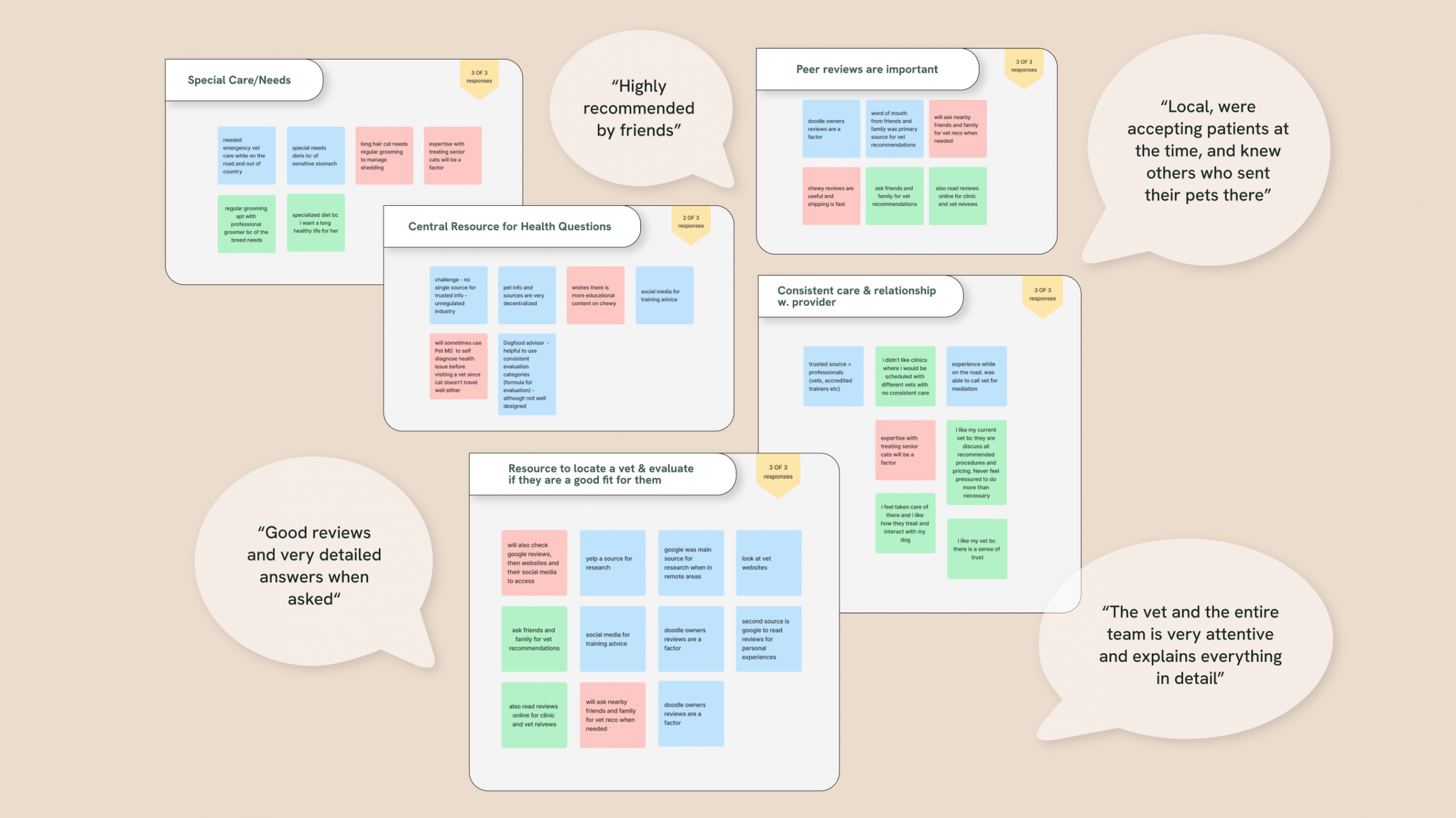
- Understand the User - User Surveys and Interviews
- User Stories
- Affinity Mapping
Ideation & Prototyping
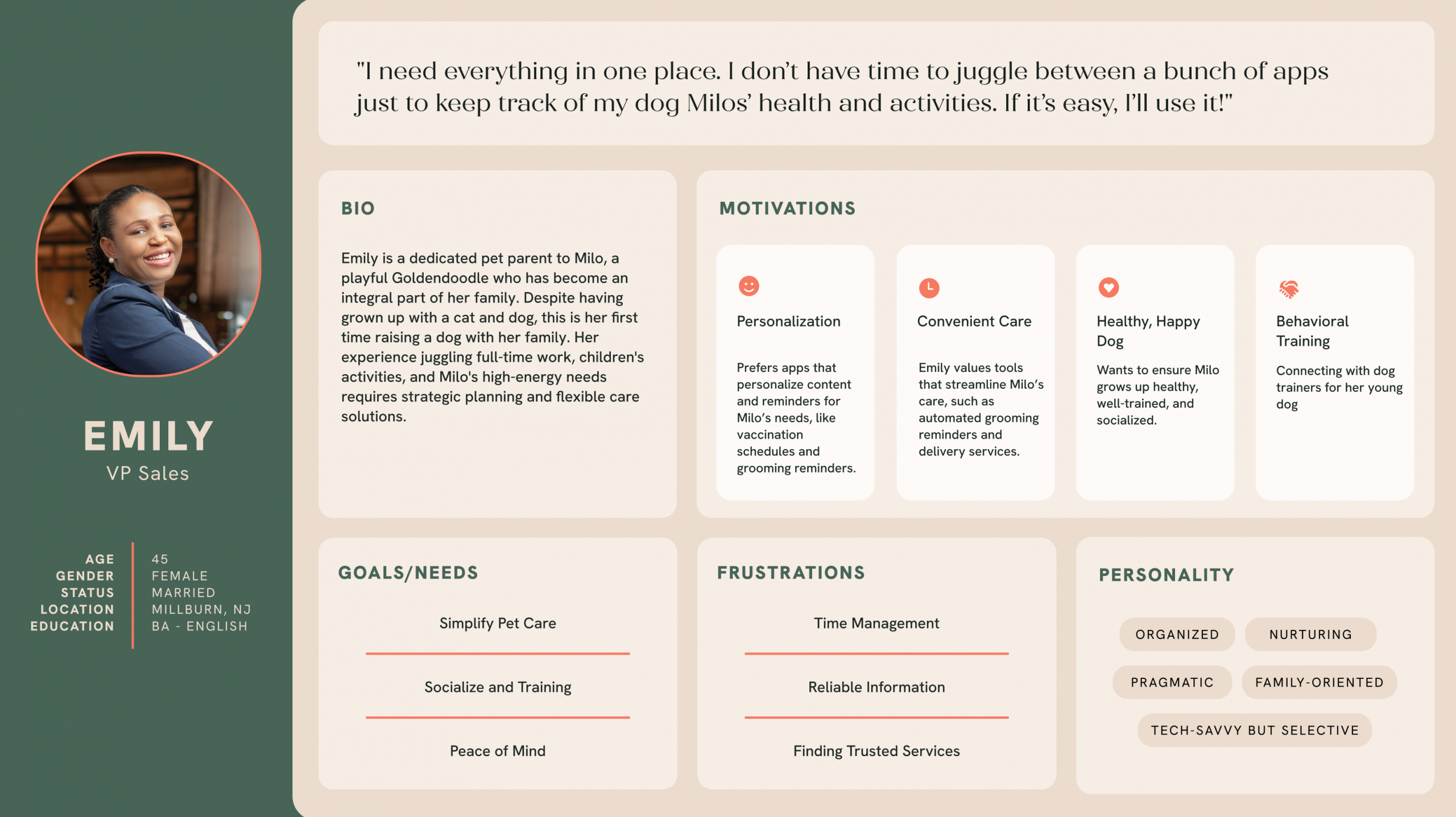
- User Personas
- User Journey Map
- User Flows
- Sitemap
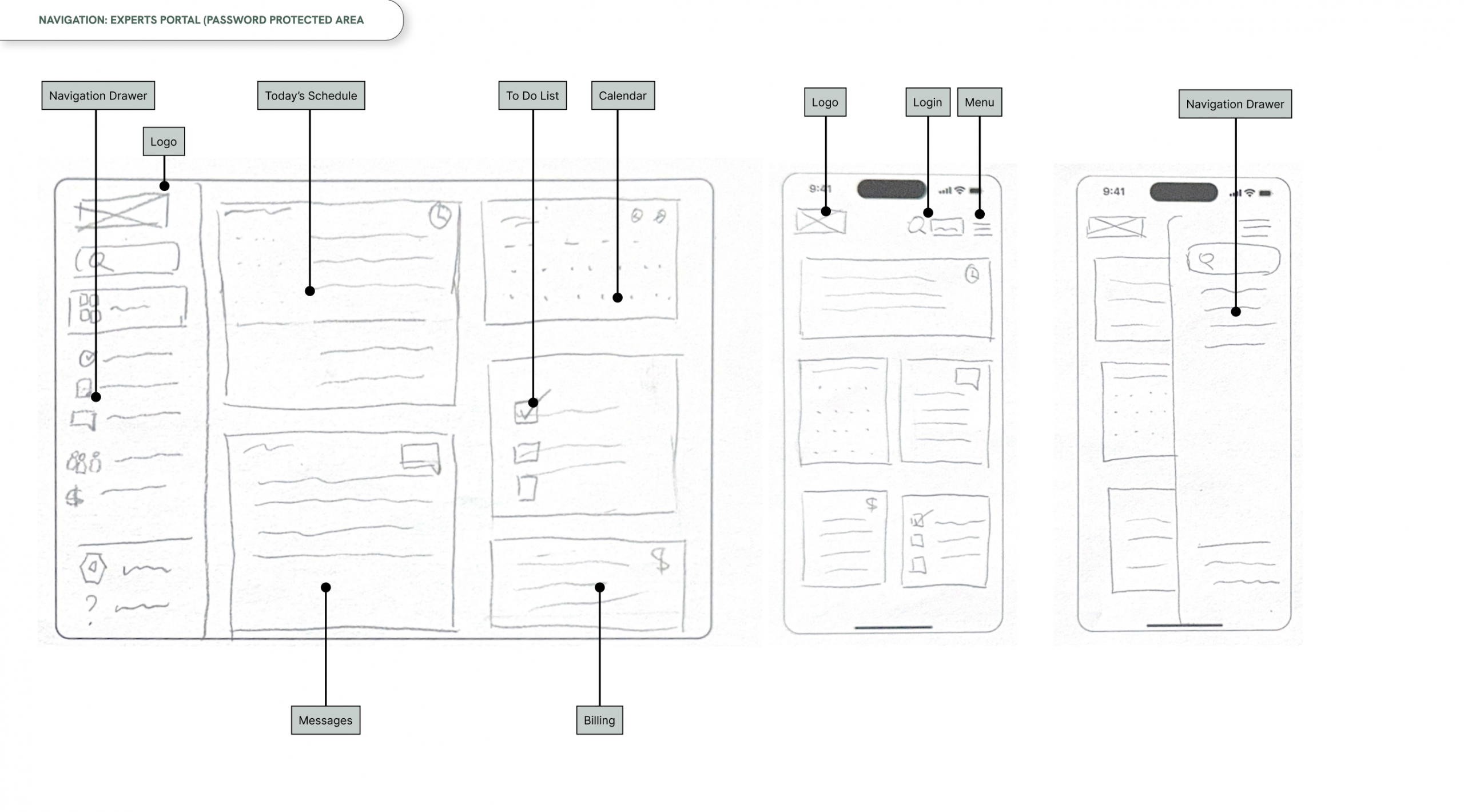
- Wireframe
Visual Design
- Low & High Fidelity Designs
- Design System
- Style Guide
Research Phase 2
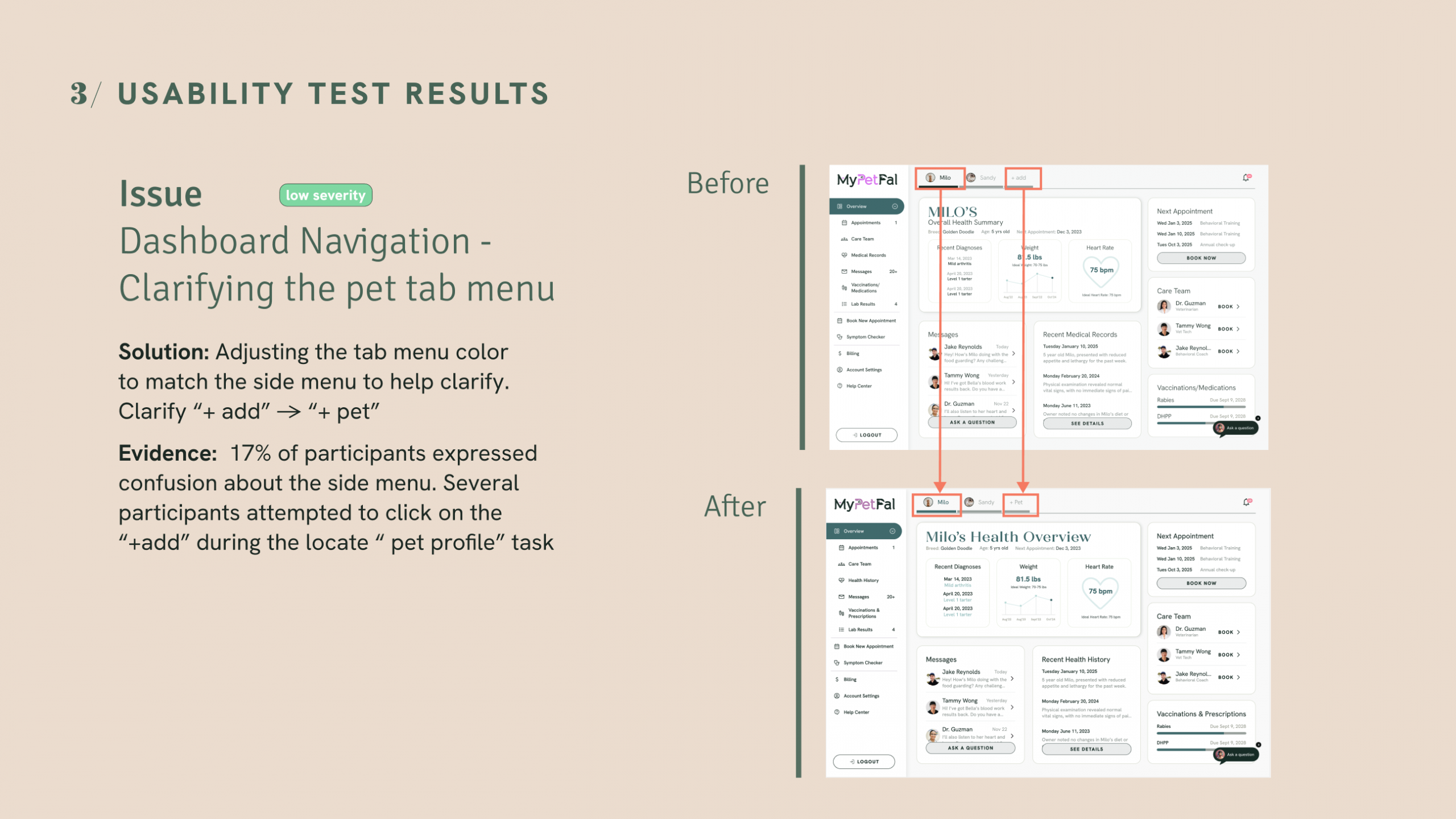
- Usability Testing
- Preference Testing
- Peer Reviews
Handoff
- Figma Files
(component library, design system) - Design Deliverables
(icons, illustrations, logos) - Supporting Materials
(user flows, site maps, personas)
Features
To determine which features to prioritize, I first needed a clear understanding of our users. I developed two personas that represented key user needs and motivations, keeping the design user-centered. These personas guided the creation of user journeys, which captured unique experiences and pain points. Together, these insights directly shaped which features were prioritized for development.
overview
1.
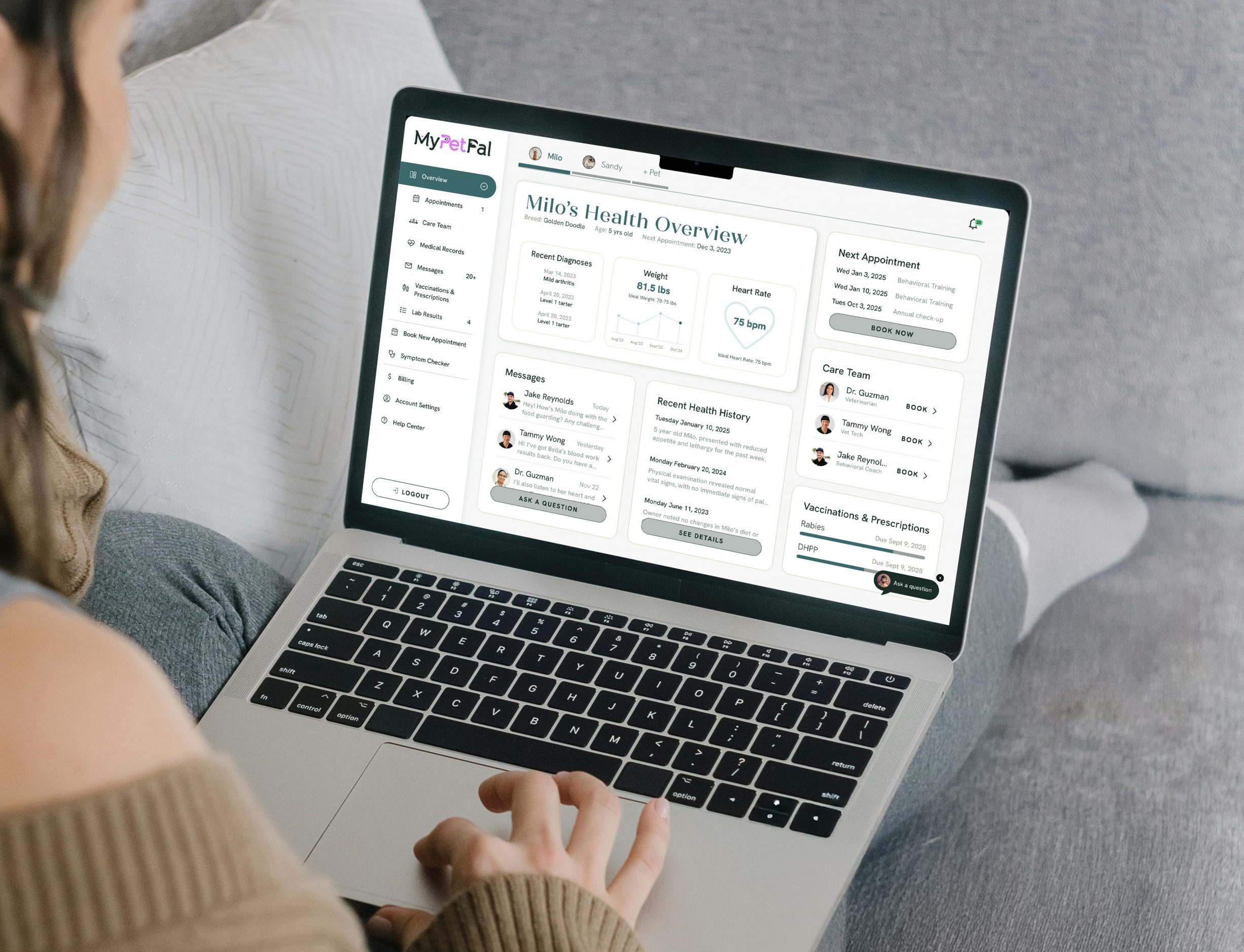
Pet Profile Dashboard
A comprehensive overview of a pet’s health status and records.
Essential information kept visible for quick access
Organized structure to help pet parents manage health and care
Saves time by reducing the need to search across multiple sources
Reduces stress with clear, accessible records in one place
Explore high fidelity prototype 👉
pain points
User Interviews Insights:
• Pet information and resources are very decentralized
• Pet parents would like to see their pets' health records in one central place
• Pet parents want consistent and reliable care
Usability Testing results
• Participants responded positively to the clean design, and all 6 participants successfully completed every task.
• Usability testing revealed that the dashboard design was overly complex, highlighting the need for simplification and clearer information hierarchy.
design iteration
Preference testing guided the next design iteration. Text hierarchy was refined to improve navigation, with plans to further simplify and reduce user complexity
watch empty state dashboard demo
2a.
Booking:
Integrated User Reviews
Reviews build confidence when users are booking with veterinarians or behavioral trainers.
Verified reviews from real pet parents establish trust
Featured on provider profile pages to support informed decision-making
Shown on the home page to reinforce credibility from the first interaction
- Helps pet parents feel confident in their choice of care
Explore high fidelity prototype 👉
key metrics (user interview & user survey)
• 35.7% of pet parents use referrals as a method to find their vet
• 43% of pet parents selected reviews as the most important factor when selecting a vet
Usability Testing & Peer review insights
Overall, users testing validated the importance of reviews in building trust
Featuring reviews pre-sign up strengthens acquisition by reducing uncertainty. Integrating reviews post-sign up reinforces confidence, supports retention, and guides decision-making within the app.
2b.
Booking: Location-Based Search
Makes it easy for pet parent to quickly locate care nearby.
- Easily find nearby providers with map integration and geolocation
- Filter by distance for faster, relevant results
Explore high fidelity prototype 👉
key metrics (user interviews)
• Pet parents rated clinic location 2nd highest factor when selecting a vet
• 21.4% of pet parents searched near by as a one of the methods to find their vet
• Pet parents used nearby friends/family networks for reccomendations when searching for a vet
Watch booking flow demo
3a.
Supporting Features:
Symptom Checker
A quick, reliable tool that helps pet parents assess symptoms and get clear next steps for their pet’s care.
- Provides reassurance for pet parents seeking quick guidance on non-urgent concerns
- Guides pet parents through tailored question to assess health or behavior concerns
- Provides an actionable report with findings, next steps and service recommendations
Explore high fidelity prototype 👉
key metrics (user interview insight)
• Pet parents try to self diagnose issues before seeking professional help
Usability Testing & Peer review insights
Overall, users testing and peer reviews demonstrated that this was a useful tool
The symptom checker is especially valuable for new pet parent user, offering guidance when they lack experience. It helps them interpret symptoms, understand when to seek care, and feel more confident in their decisions
3b.
Supporting Features:
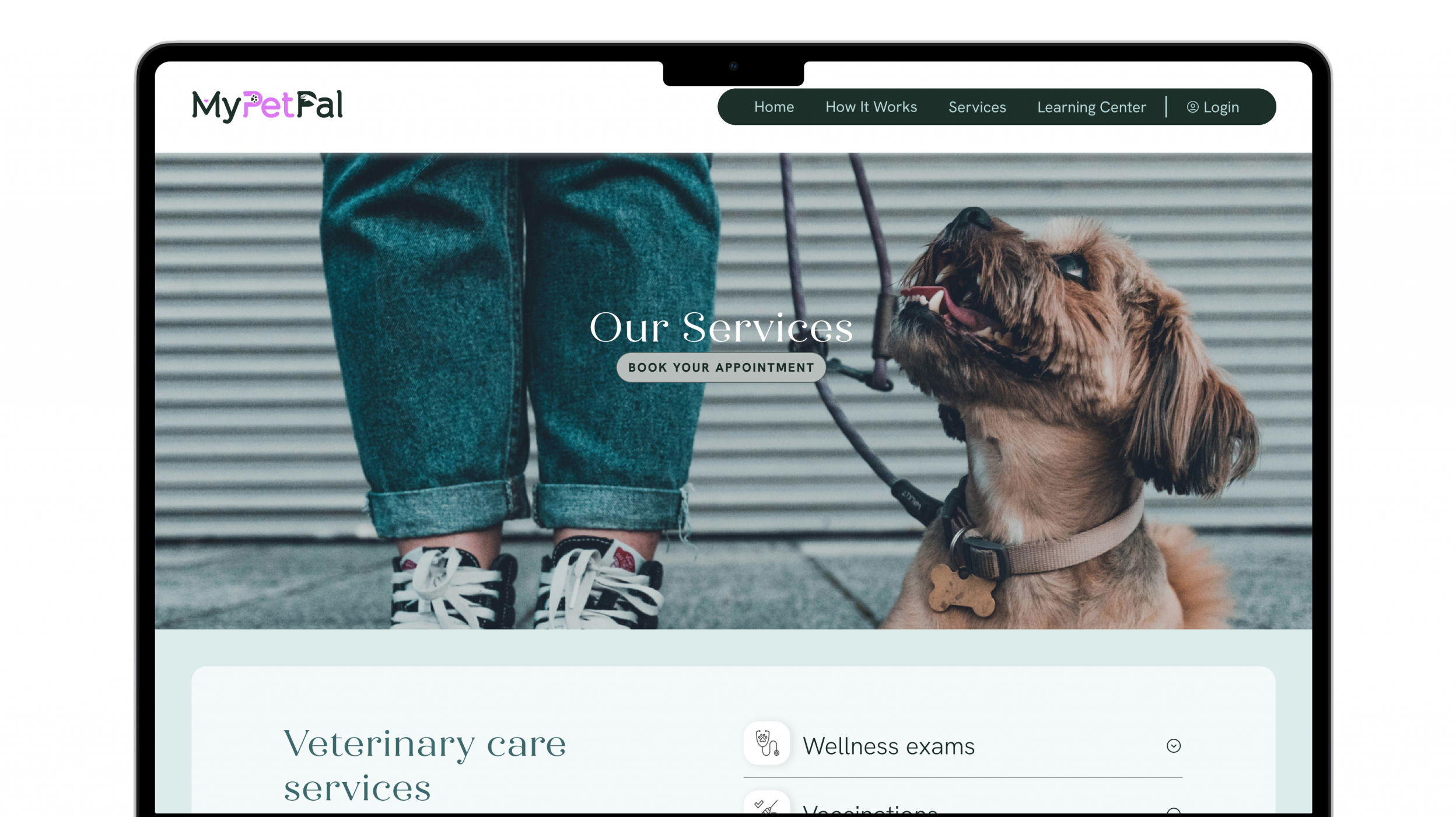
Marketing Website
The marketing website guides pet parents from discovery to sign-up.
- Blends transparent messaging, review and CTAs to communicate value and encourage action
- Creates a seamless experience that builds confidence and drives engagement
- Balances user needs and business goals by making sign-up intuitive and trustworthy
- Transforms exploration into commitment through clarity, credibility, and usability
Explore high fidelity prototype 👉
key metrics (user interviews)
• 65% of pet parents have been parents for 6+ years (user surveys)
• Average price for a routine vet visit in urban U.S cities is $80-150
Usability test insights
• 67% of participants expressed confusion while scploring the membership plans and while signing up for a free trail
• Users took some time to recognized the value of the various plan options
Design iteration
• Preference testing used to test new layouts to improve plan clarity and value for users
Next steps: simplify plans or reduce offerings to further improve clarity
Design Approach
My approach combines the scalability of a structured design system with the emotional impact of thoughtful visual and verbal design. The design system ensures consistency and efficiency, while color, imagery, typography, and tone of voice are used intentionally to build trust, warmth, and engagement. Together, this creates an experience that is both reliable and emotionally resonant, supporting users in a way that feels professional yet approachable.
Scalable designs
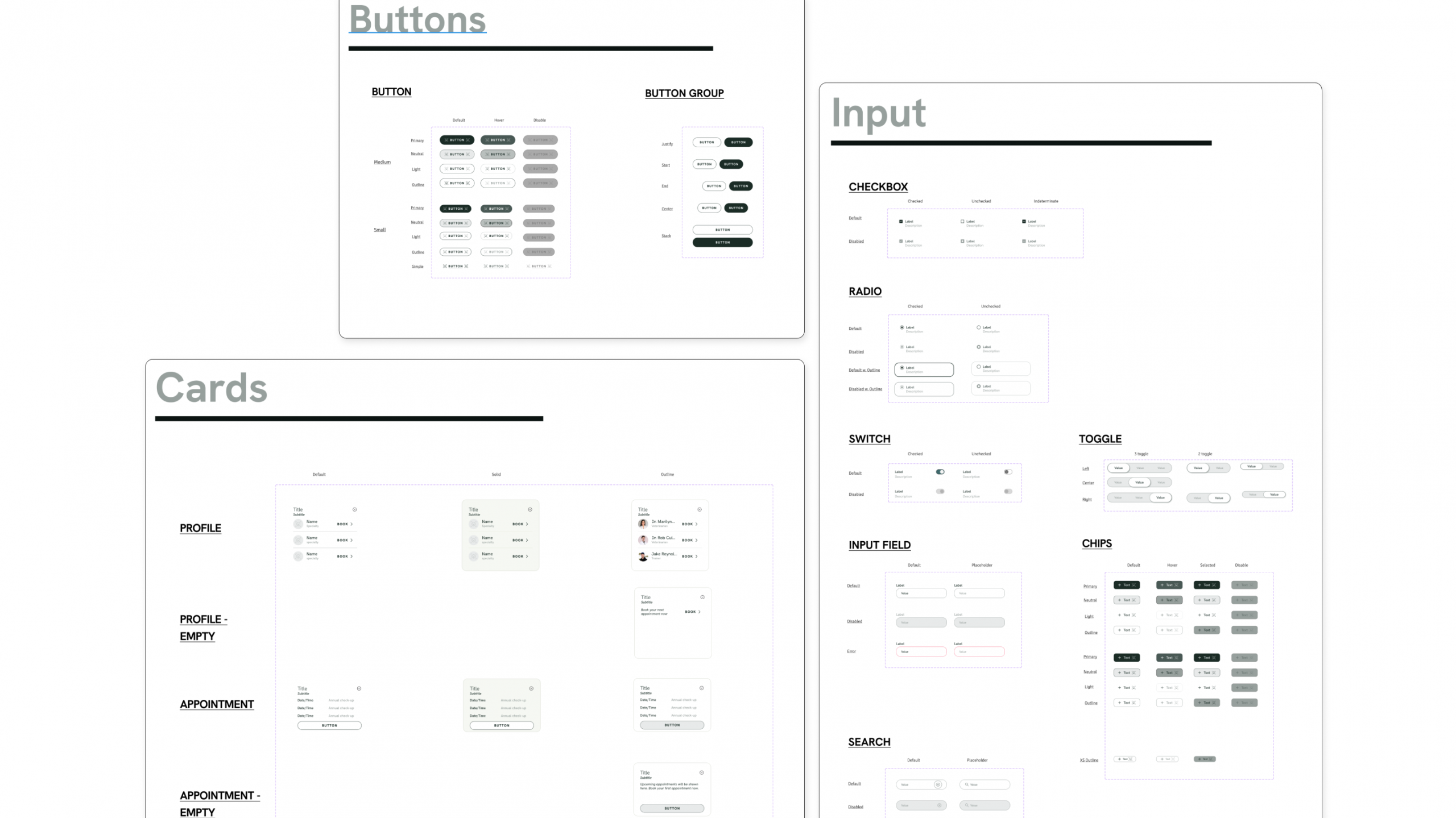
(Design system & Component Library)
Figma was used to build a flexible and scalable design system, leveraging base components, variants, and shared styles to maintain consistency across screens. This setup allows for efficient updates, collaborative iteration, and seamless handoff which support both brand integrity and future growth.
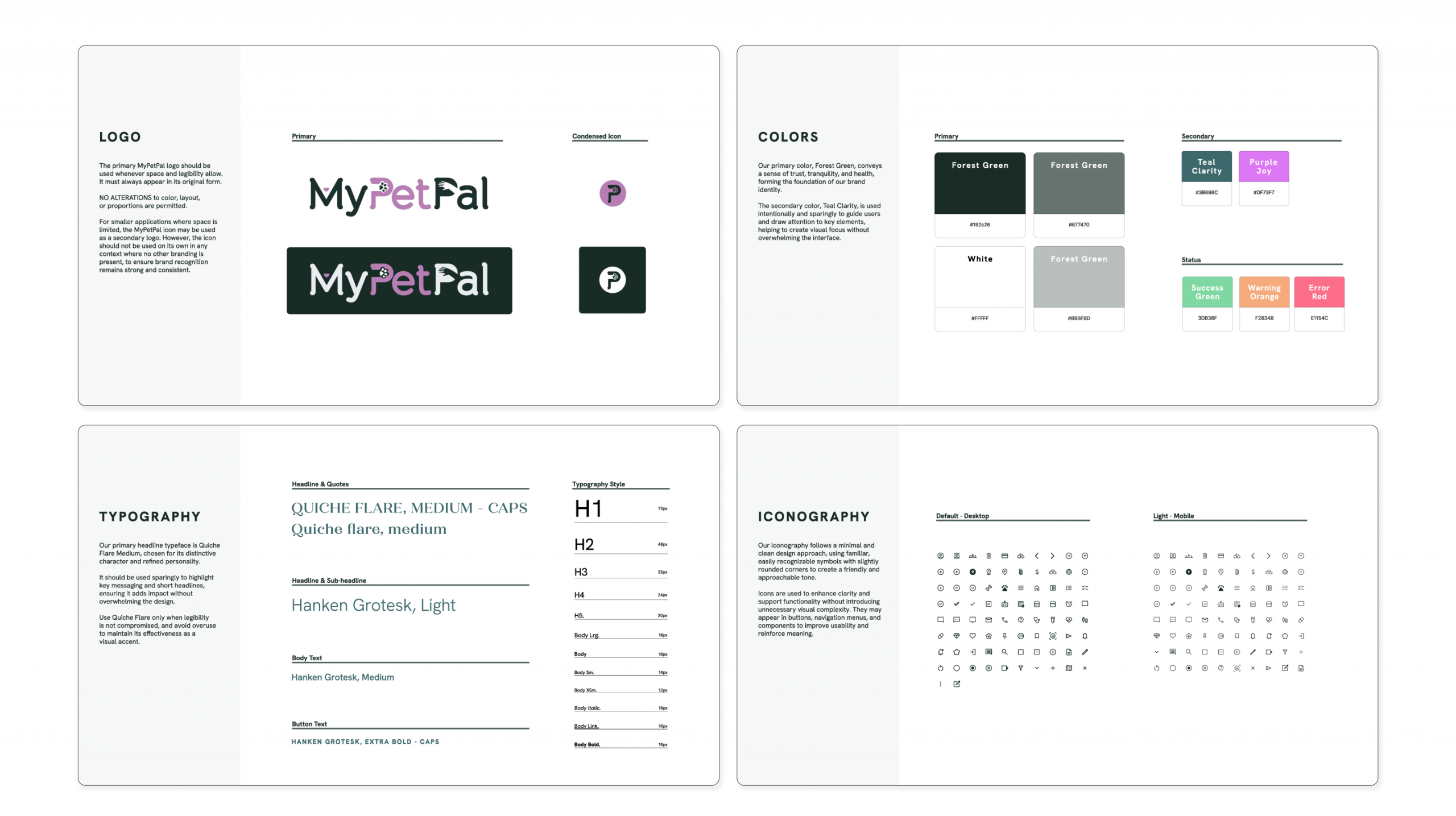
emotional engagement in visual design
(style Guide)
MyPetPal app uses emotionally resonant imagery of pets and their owners to evoke feelings of trust, joy, and connection. Soothing and serence color choices in the UI creates a user experience that feels both friendly and professional. The use of greenish-blue tones reinforces a sense of calm and trust, while magenta accents introduce elements of joy and playfulness.